
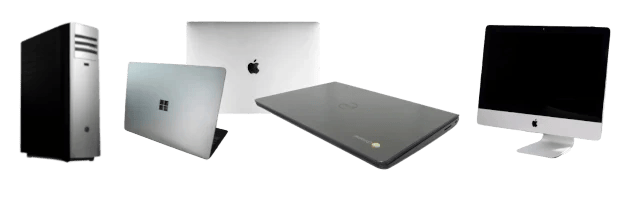
From Macbooks and PCs to Chromebooks.

Laptops

Your destination for top-notch computer repair services in Fairhope, AL!

Hours of Operation

Monday : 10 am - 6 pm

Tuesday : 10 am - 6 pm

Wednesday : 10 am - 6 pm

Thursday : 10 am - 6 pm

Friday : 10 am - 6 pm

Saturday : Closed

Sunday : Closed

Conveniently located at 422 Fairhope Avenue between Honeybaked Hams and Wok by d'Bay.

Our skilled technicians offer fast turnaround times and personalized service to get you back to work in no time.

Whether you need troubleshooting, virus removal, or preventative maintenance, we've got you covered.

Trust Fairhope PC to keep your technology running smoothly!

Contact us today at 251-929-4609 or visit our downtown shop for reliable repairs and exceptional customer care.

How we can help

Option 1

Break & Fix Repairs (Bring-in Service)

  • Drop off, diagnose, repair
  • Quick diagnosis
  • General troubleshooting and configurations
  • Upgrades and physical damage repairs
  • Software problems
  • Backup services and data management
  • Data recovery
  • Transparent communication
  • Custom PC Builds
  • Rush services are available

Ideal for most home users experiencing computer troubles who want a quick diagnosis and repair. Affordable solutions for common computer issues.

Option 2

Remote Support

  • We can schedule a remote support session to help you without the need to bring your equipment in!
  • Same day 1-on-1 support.
  • Quick diagnosis
  • Software problems
  • Transparent communication
  • Prepay blocks of time available.
  • Time stays on file and never expires.
  • $199/hr or $119/30 minutes

Great for minor issues that slow you down. Email support, Office 365, printers.

Option 3

Managed Service

  • Design and support secure managed networks.
  • Provide on-site support to your home office or business.
  • Proactively protect your business and personal information.
  • Minimize potential downtime.
  • Protect yourself from data loss and cyberthreats.
  • Keep your applications and operating systems up to date and secure.
  • Maintain a client knowledge base to streamline your business.
  • Follow best practices for password protection using a managed password service.
  • DNS and Web filtering services
  • Emergency Disaster Recovery tools
  • Off site backups
  • Microsoft 365 Administration
  • Dark Web monitoring

For home office or small businesses that don't have a dedicated IT department. We can help design or maintain your network environment.

Implement best practices for password protections, DNS and WebFiltering services, inventory and asset management, real-time endpoint and network monitoring, emergency disaster recovery planning, off-site backup support, Microsoft 365 administration, and identity and DarkWeb monitoring.

Helpful Articles

  • Jan. 5, 2025

Innovative Solutions to IoT Device Security

The Internet of Things is growing day by day. More devices are connecting to the internet. And with that growth comes new security risks. Let’s look at some new ways to keep your IoT devices safe. What are the security risks for IoT devices? IoT devices are vulnerable to many types of threats. Some of

Read More

  • Dec. 30, 2024

5 New Trends from a Study on the State of AI at Work

The pace of technological advancement is accelerating. This is not news to anyone wading through the ChatGPT craze. Artificial intelligence (AI) is at the forefront of this revolution. We are swiftly seeing companies adopting AI solutions. Even more rapidly are software providers like Microsoft adding AI to tools.  The goal is to use AI to

Read More

  • Oct. 30, 2024

8 Strategies for Tackling “Technical Debt” at Your Company

Did your company’s software system once seem sleek and nimble? But now it resembles a tangled web of shortcuts, patches, and workarounds. Welcome to the realm of technical debt. It’s a silent saboteur that accumulates over time, threatening your efficiency. What Is Technical Debt? Think of technical debt as the interest you pay on a

Read More

  • Oct. 25, 2024

Enhancing Employee Performance with a Mobile-Optimized Workspace

In the whirlwind of today’s business landscape, adaptability reigns supreme. Today’s workspaces transcend physical boundaries. Employees work and collaborate seamlessly from anywhere. Whether they’re sipping coffee at a local café or lounging on their living room couch. That’s the magic of a mobile-optimized workspace. It’s a game-changer for productivity and performance. 51% of employees use

Read More

  • Oct. 20, 2024

Essential Settings to Maximize Your Microsoft 365 Experience

Microsoft 365 is a powerful suite of tools. It helps to enhance productivity and collaboration. This is especially true for small to mid-sized businesses (SMBs). But to get the most out of Microsoft 365, it’s important to optimize its settings. Otherwise, you may only be using a fraction of the power you have. Ready to

Read More

  • Oct. 15, 2024

Why Securing Your Software Supply Chain is Critical

In today’s world, everything’s connected. That includes the software your business relies on. Whether you’ve installed that software locally or use it in the cloud. Protecting the entire process that creates and delivers your software is very important. From the tools developers use to the way updates reach your computer, every step matters. A breach

Read More

  • Oct. 10, 2024

Don’t Be a Victim: Common Mobile Malware Traps

Your smartphone is a digital wallet, communication hub, and personal assistant. All rolled into one portable device. It’s packed with sensitive data, from financial information to personal photos. This makes it a prime target for cybercriminals.  Mobile malware is often overlooked. People focus on securing their laptops or desktops. But they don’t pay as close

Read More

Loading contact form...